

An Invoice is a document given to the buyer by the seller to collect payment. It includes the cost of the products purchased or services rendered to the buyer. In WorkPal, Invoices can be created from completed Jobs.
To create a new a new Invoice, select a completed Job from the Jobs list.

On the toolbar at the bottom of the Job screen, select "Generate Invoice". This will create the Invoice and bring you to the Invoice page. Information from the Job will be added automatically to the Invoice including the recipient.

Invoices can also be set to automatically be generated when a Job is completed. This can be enabled on each Client:
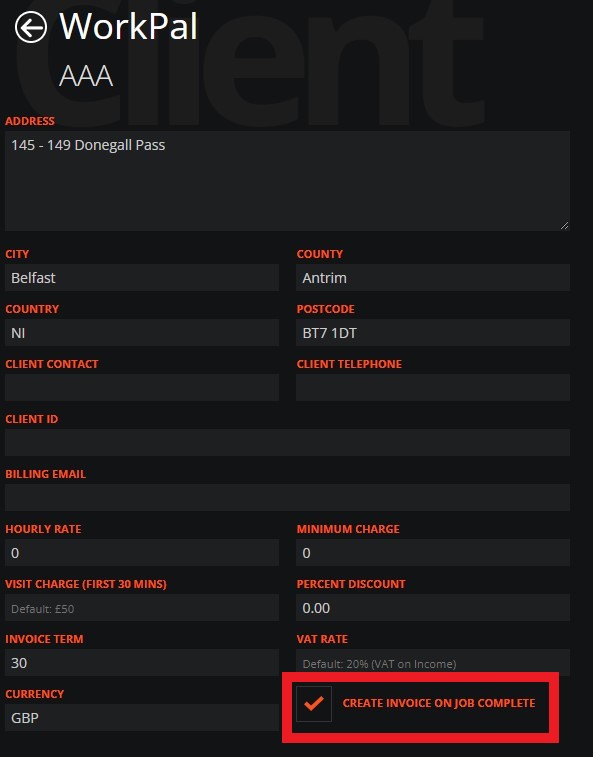
It can be turned on / off for all Clients in the Preferences page:
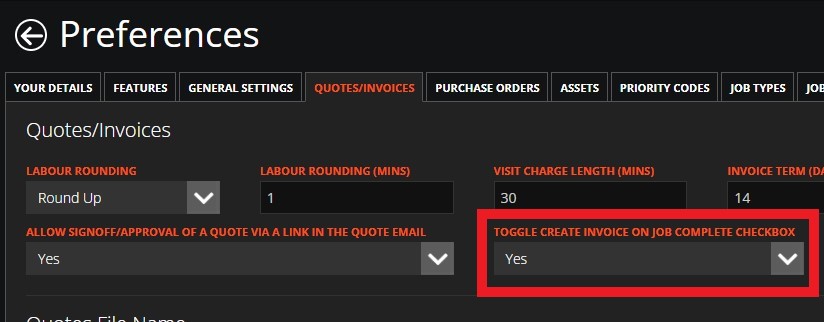
Based on your settings, you can also have Parts and Tasks from the Job automatically added to the Invoice as line items.
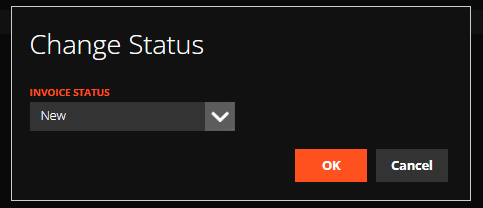
Invoices can also have a Status. Statuses for Invoices can be viewed and edited in the Preferences Menu. Please see our guide for more information on this.
From this screen, individual Invoices can be emailed or exported as a PDF or an Excel spreadsheet. Documents can also be uploaded and attached to the Invoice.

Per Invoice Options
Some options can be set on the Invoice page, which only affects the current Invoice:
You can "Remove Line By Line Pricing on Export" so your client does not see the individual pricing of your line items if you do not want them to.

You can also enable "Use Site Address on Invoice Output" which will replace the Client Address with the Site Address when the Invoice has been exported or saved as a PDF.

Need a Hand?
If you're experiencing any issues creating, sending, managing, or processing Invoices in WorkPal, our Support Team is here to help.
📞 028 9344 5660
📧 support@workpal.app
🌐 www.workpal.app