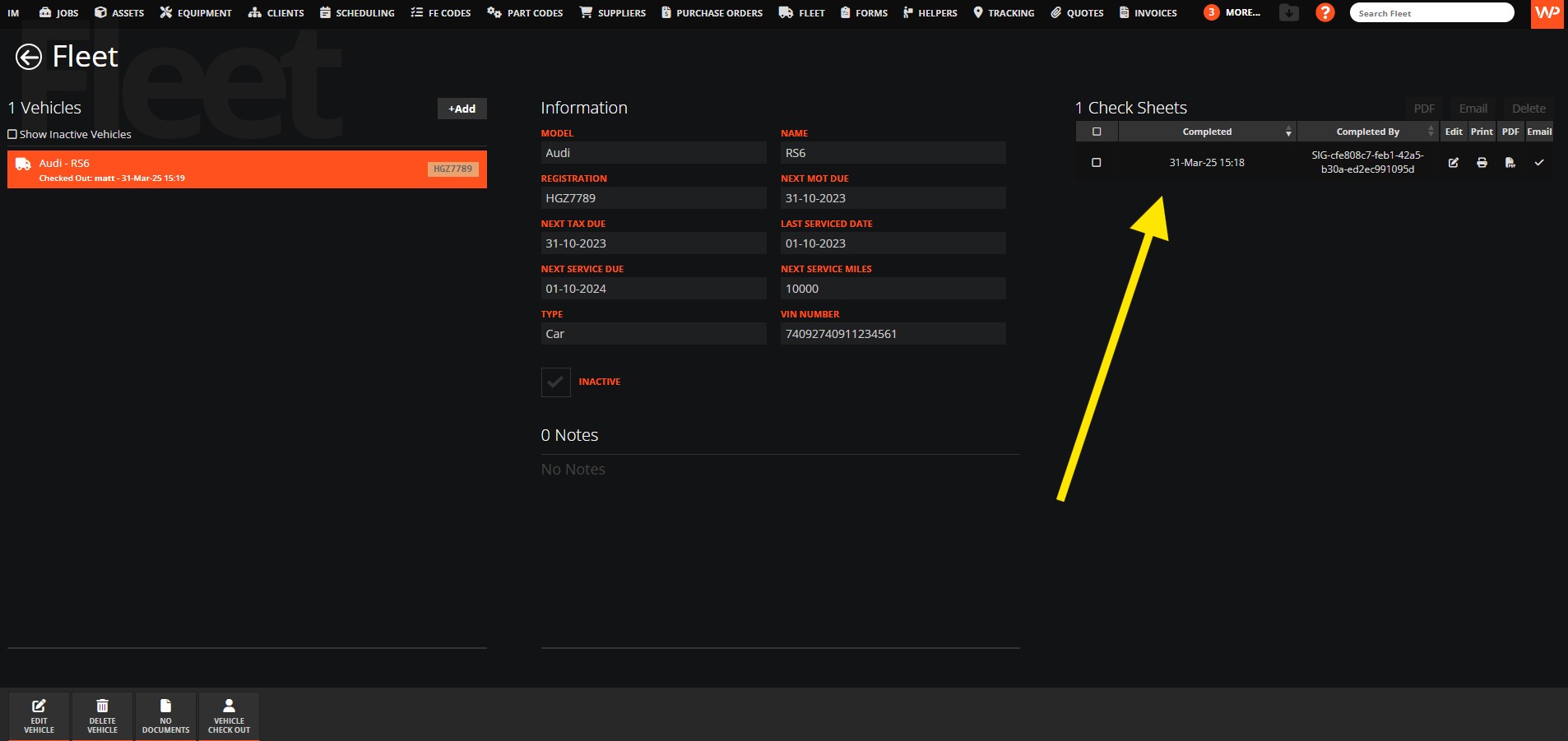
We can add a vehicle check by following the steps below
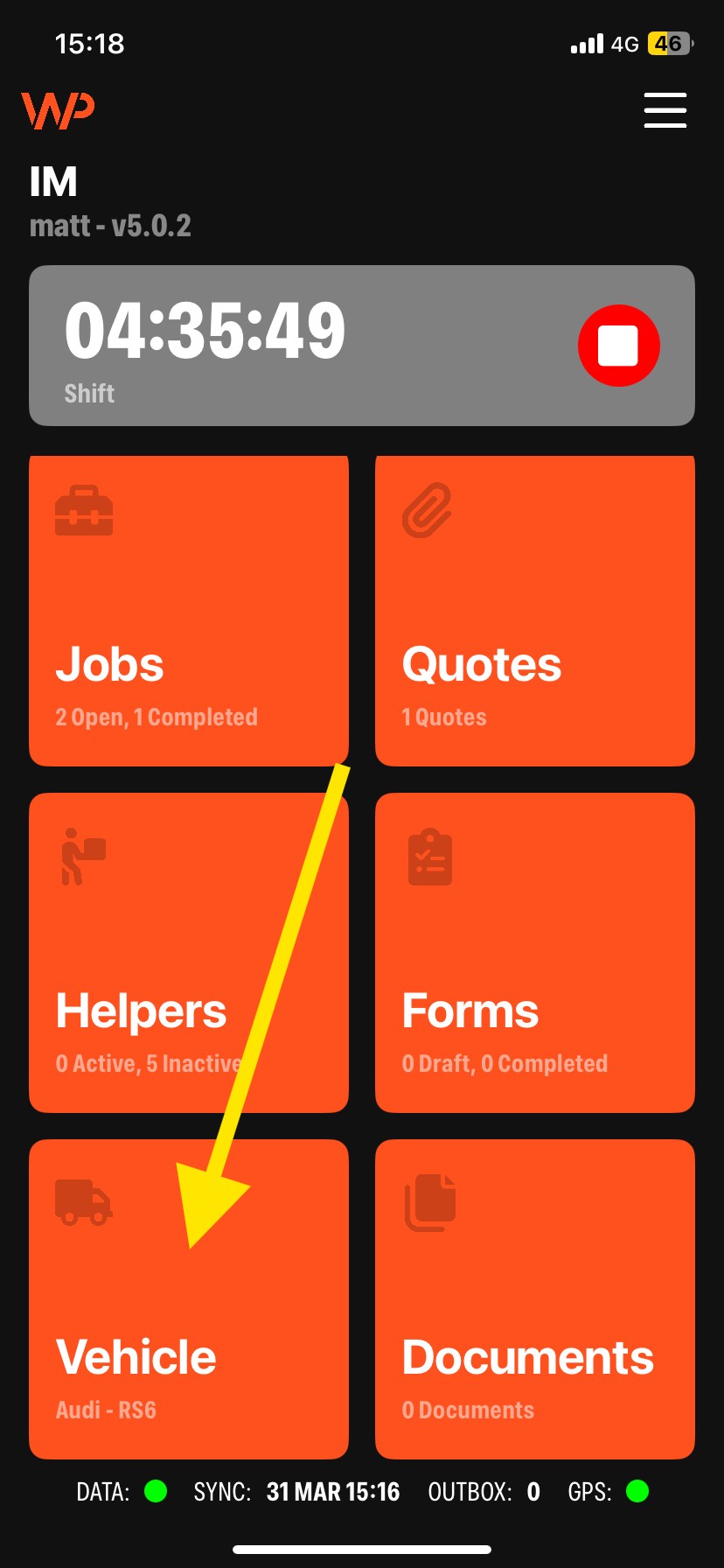
Step 1 - On the home screen you will see the tile labelled Vehicle:
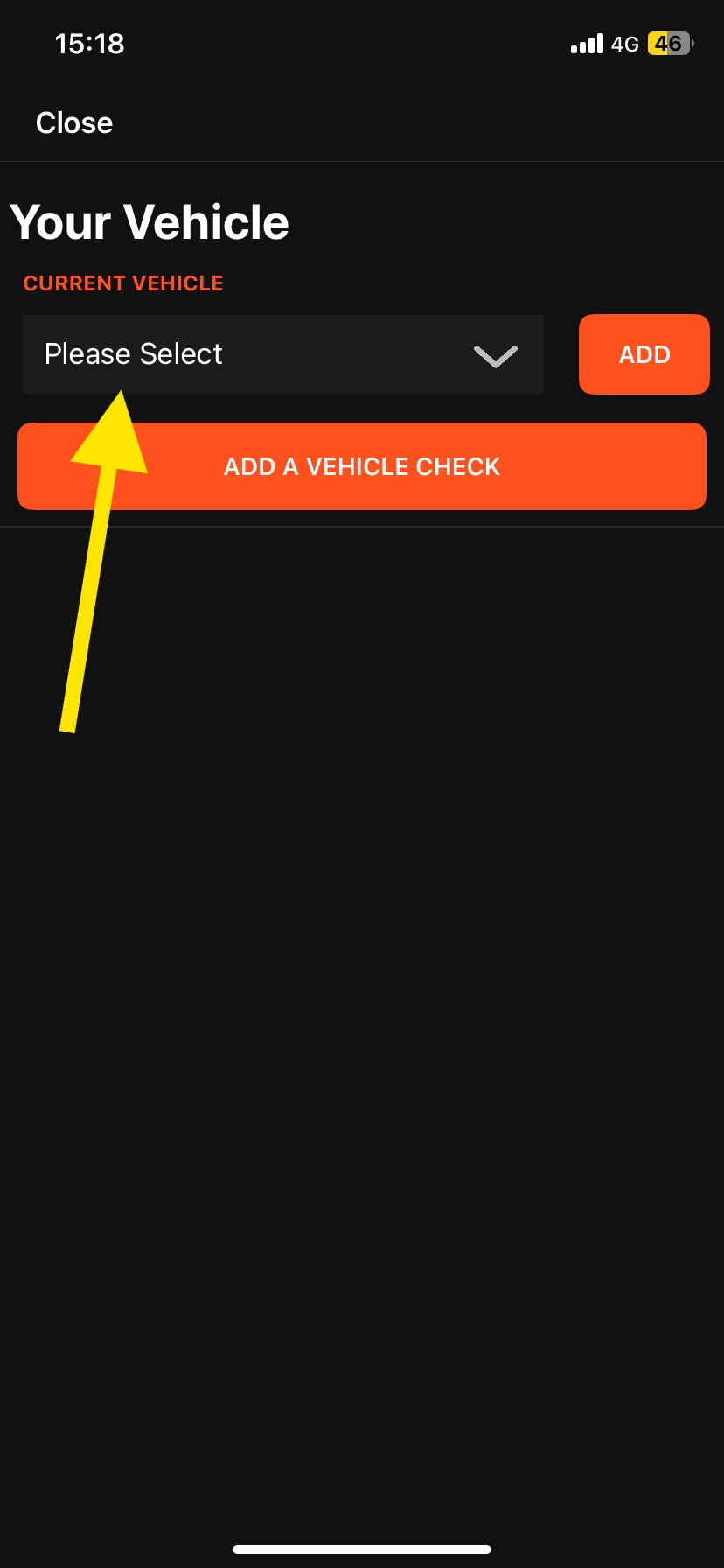
Step 2 - Select which vehicle you want to complete the vehicle check for by choosing from the dropdown list and then click Add:
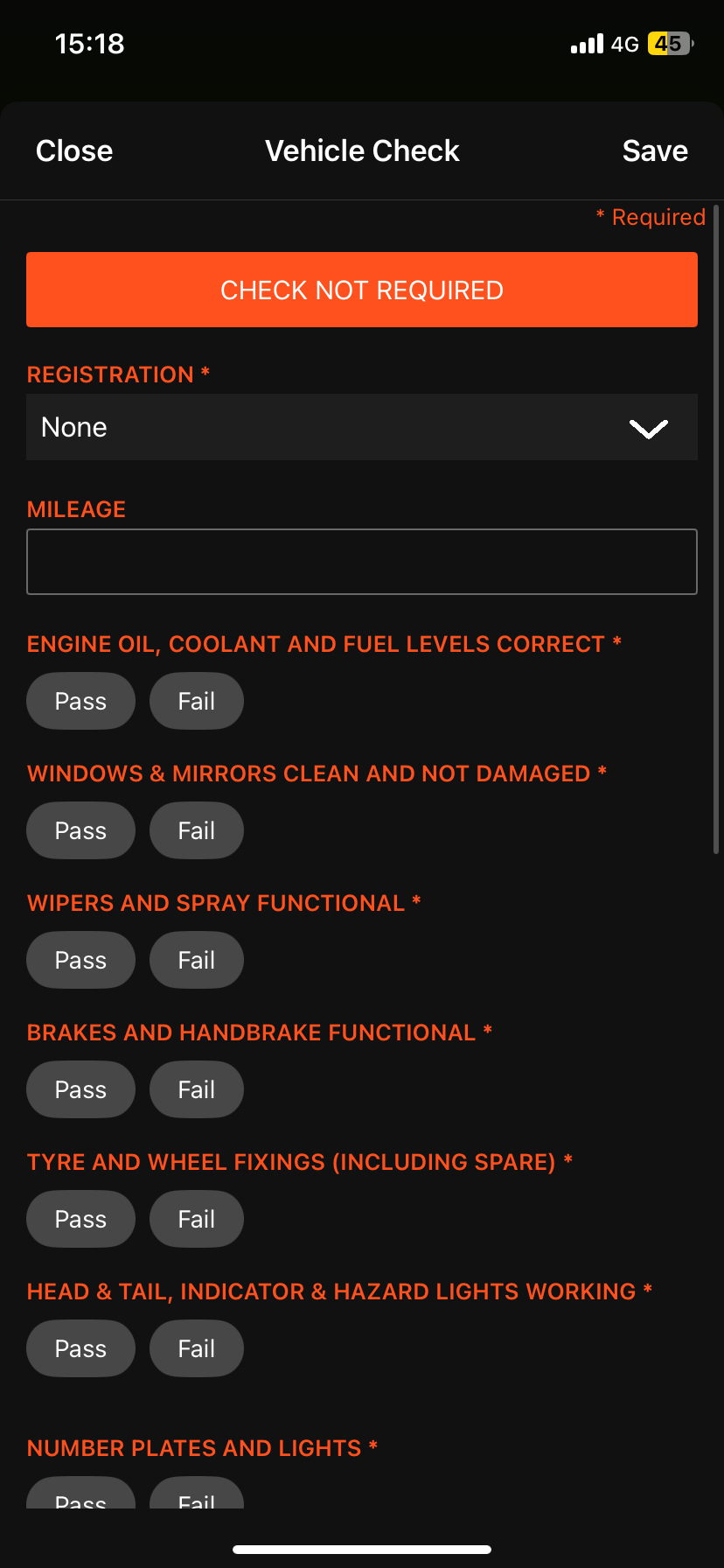
Step 3 - Fill out the vehicle check sheet and click Save at the top right of the screen:
Once this has been completed the desktop user will see the history of the vehicle checks on the Fleet tab.