

Before getting started, ensure that your vehicles have been set up in WorkPal and that the Dashboard feature is enabled on your account.
If you need guidance on setting up vehicles, please refer to our How to Use the Fleet Feature article.
If Dashboards are not currently enabled, please contact our Support Team who will be happy to assist.
Once this has been done, You can click the WP logo, then go to "dashboards"
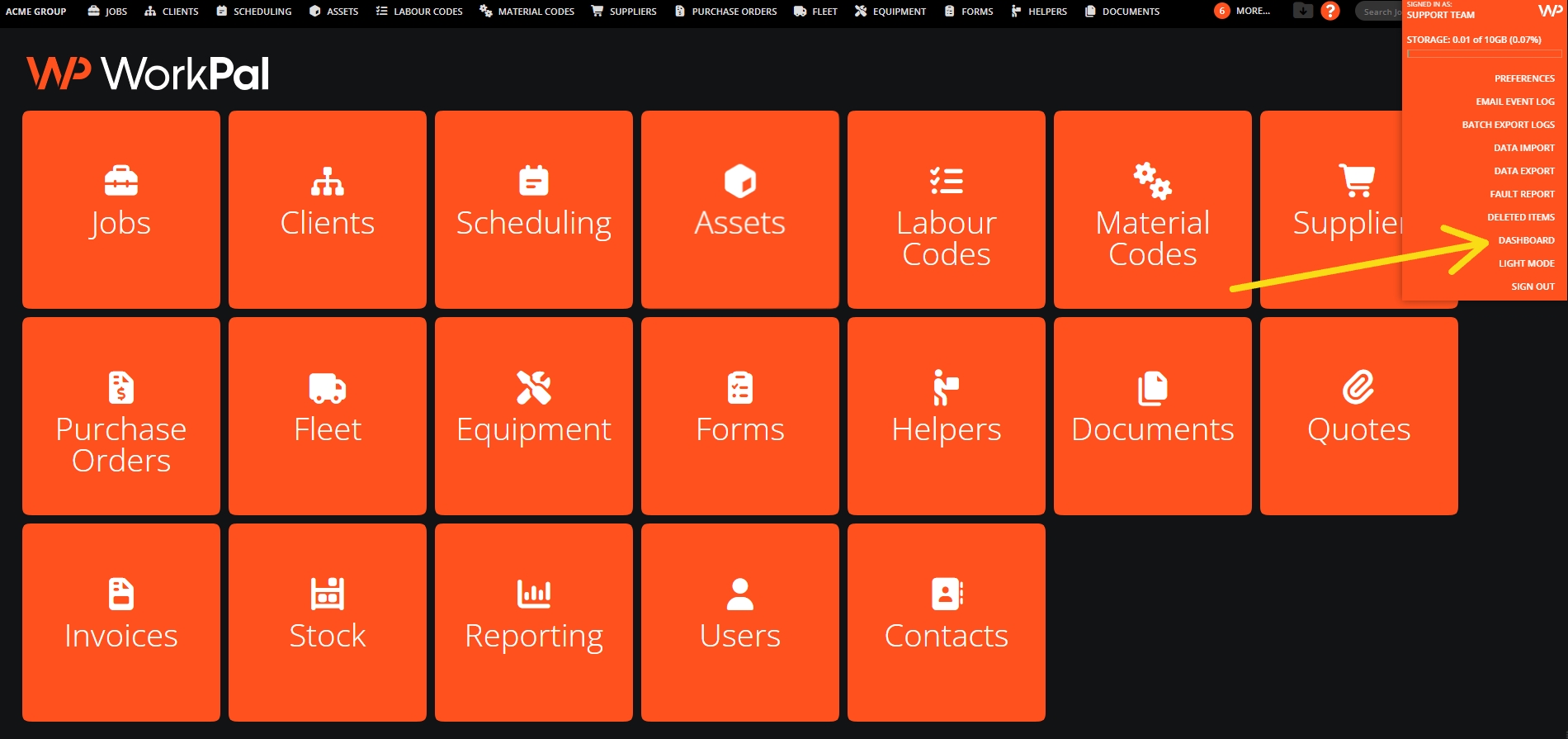
This will take you to your dashboard home page. From here, you can see all the different information that is collected within the dashboards, in this instance, we will focus on the vehicle data.
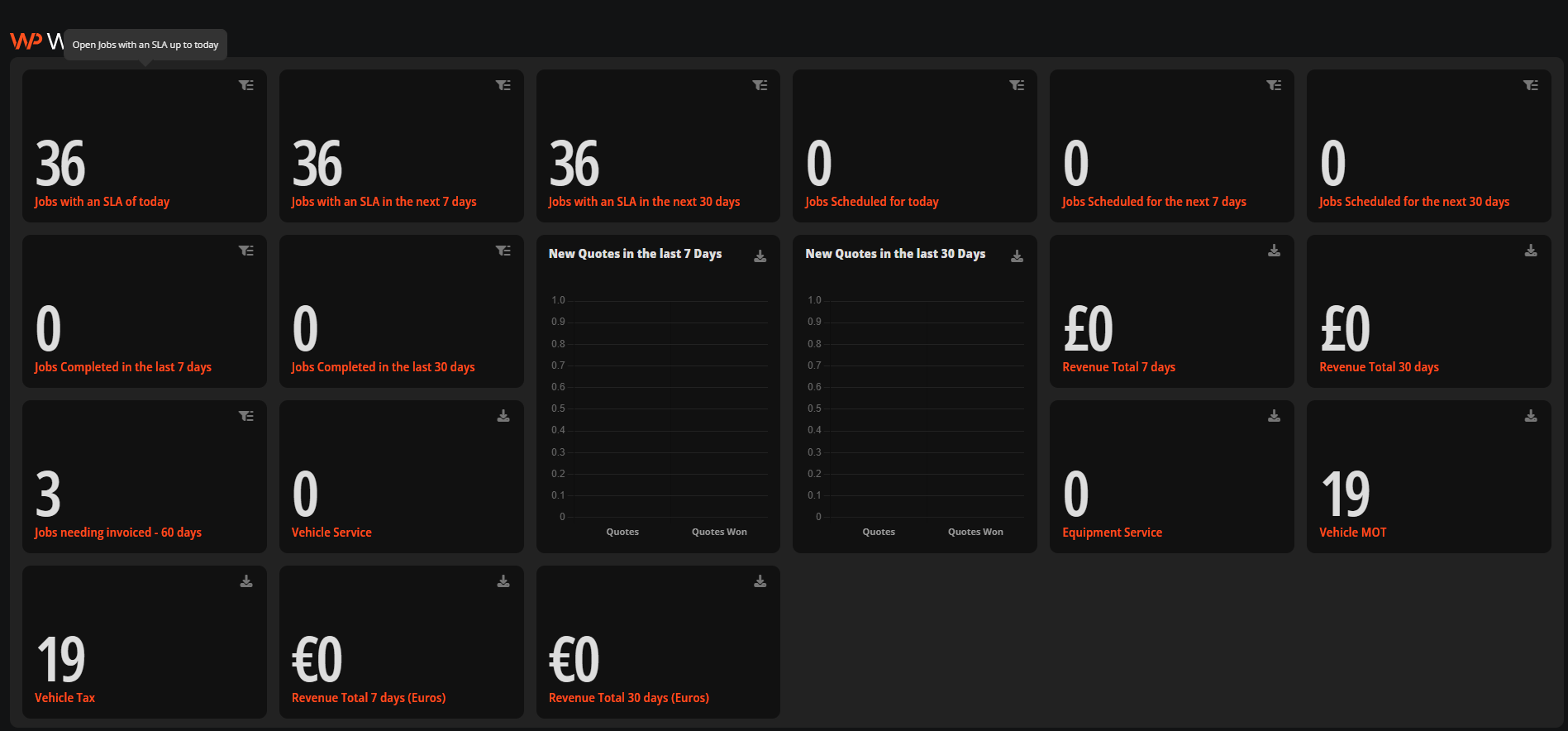
A lot of our customers find a lot of benefit in separating their dashboards rather than having one master dashboard with everything on one page! Lets walk through how to set up a "fleet" detail only dashboard in the steps below.
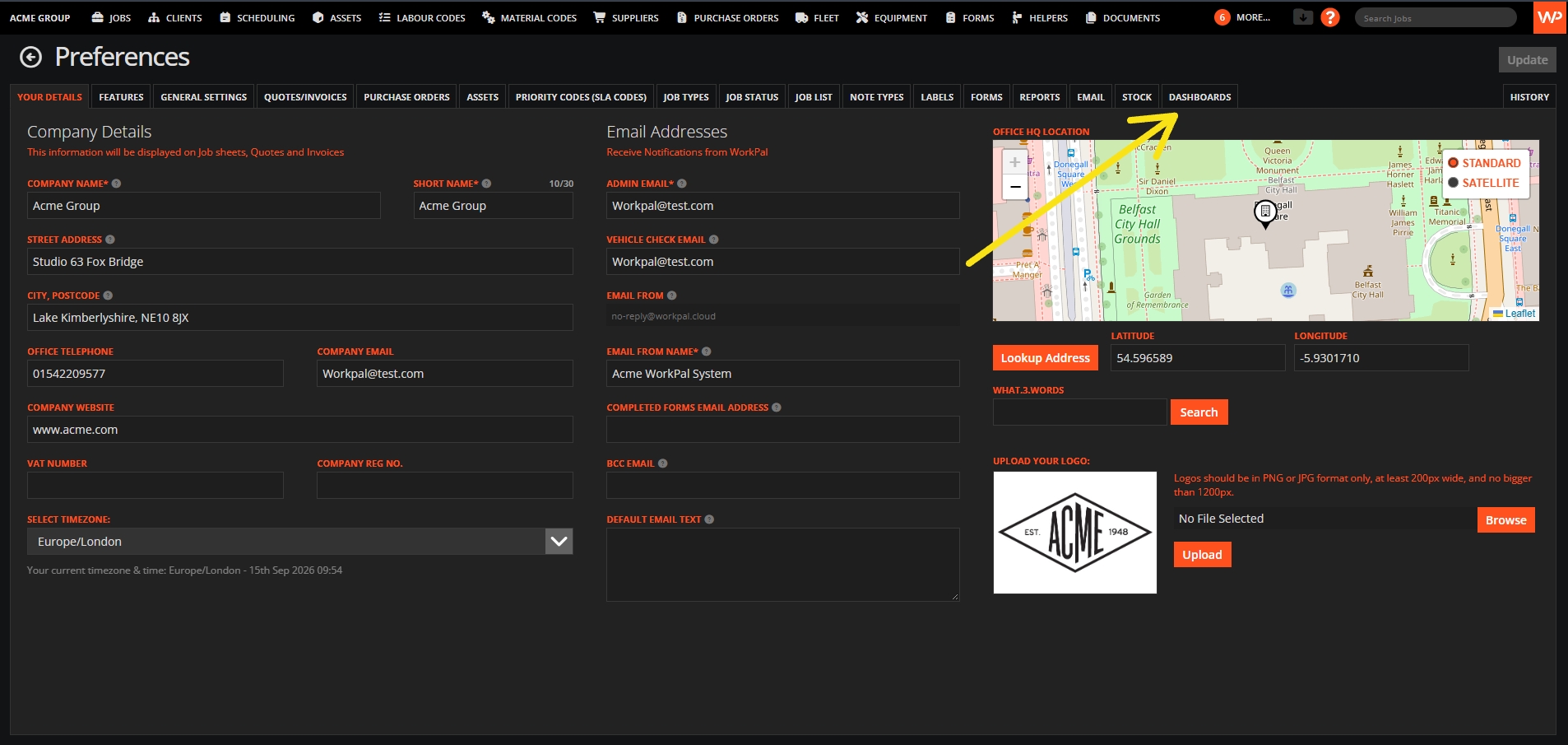
Go to the WP logo, Click Preferences then select dashboards.
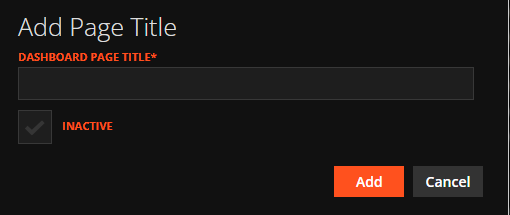
We will then click "add page"
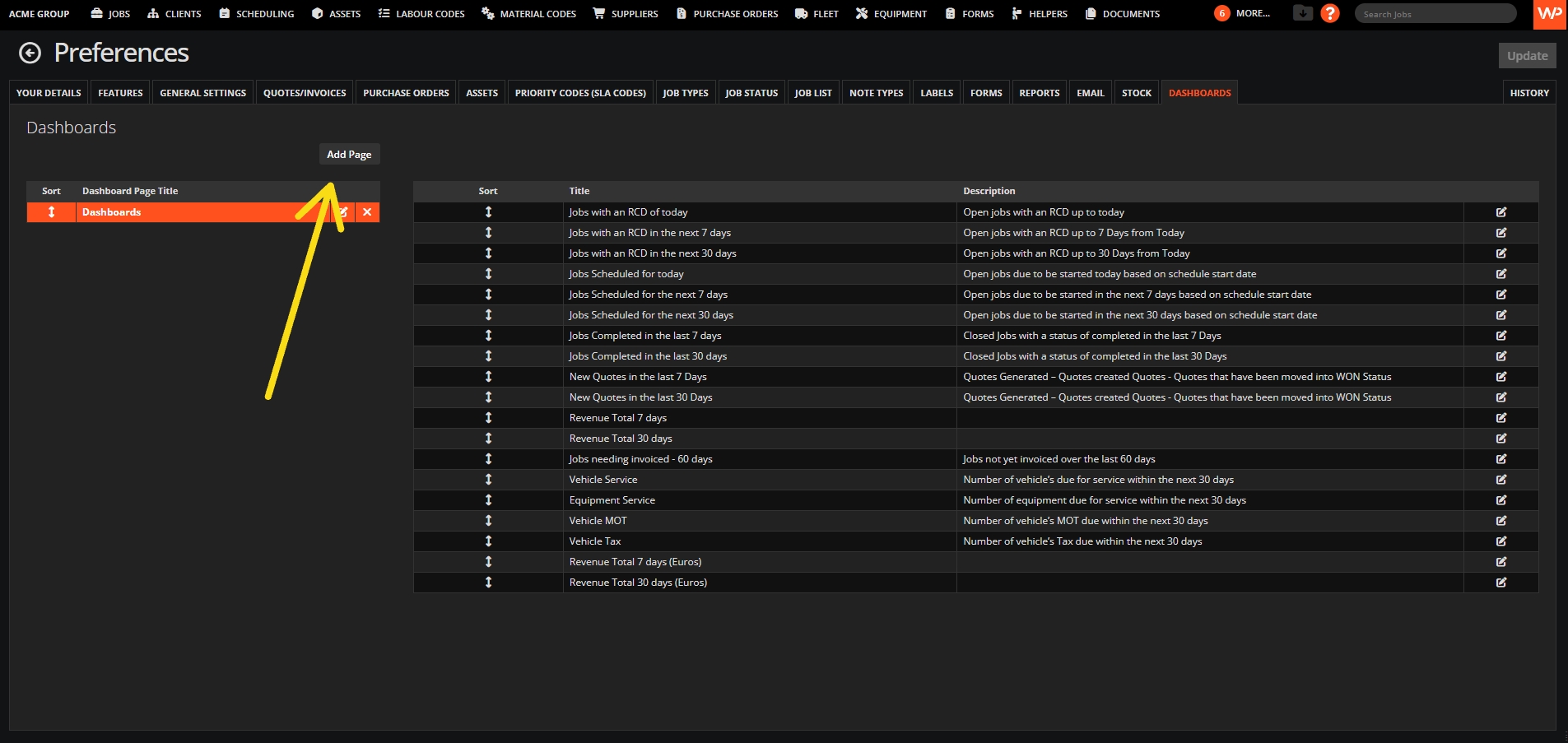
You can then enter "Fleet" into the dashboard page title.
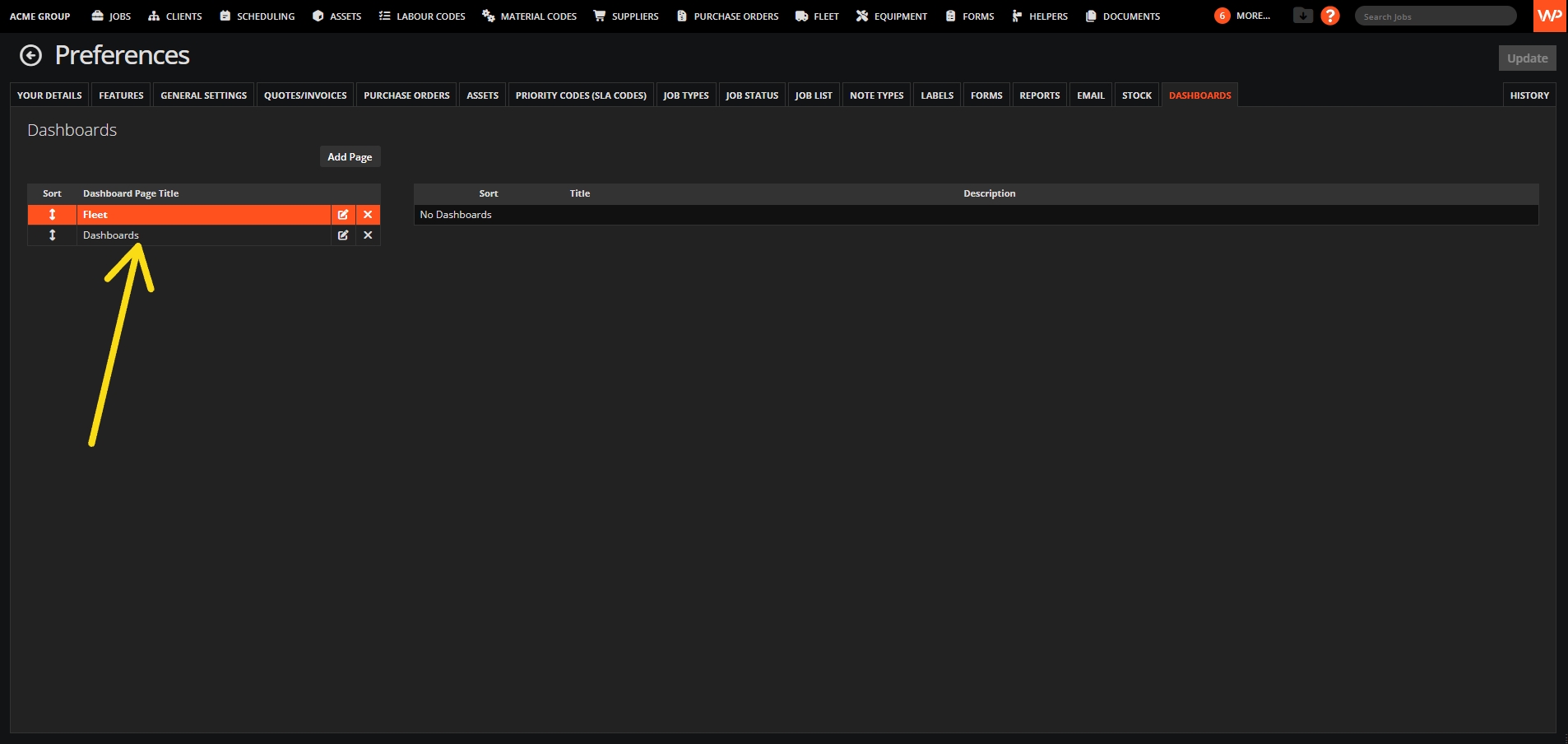
Now we will need to add the fleet information to the new page we created, to do this, we will need to click on the "dashboard" button highlighted below.
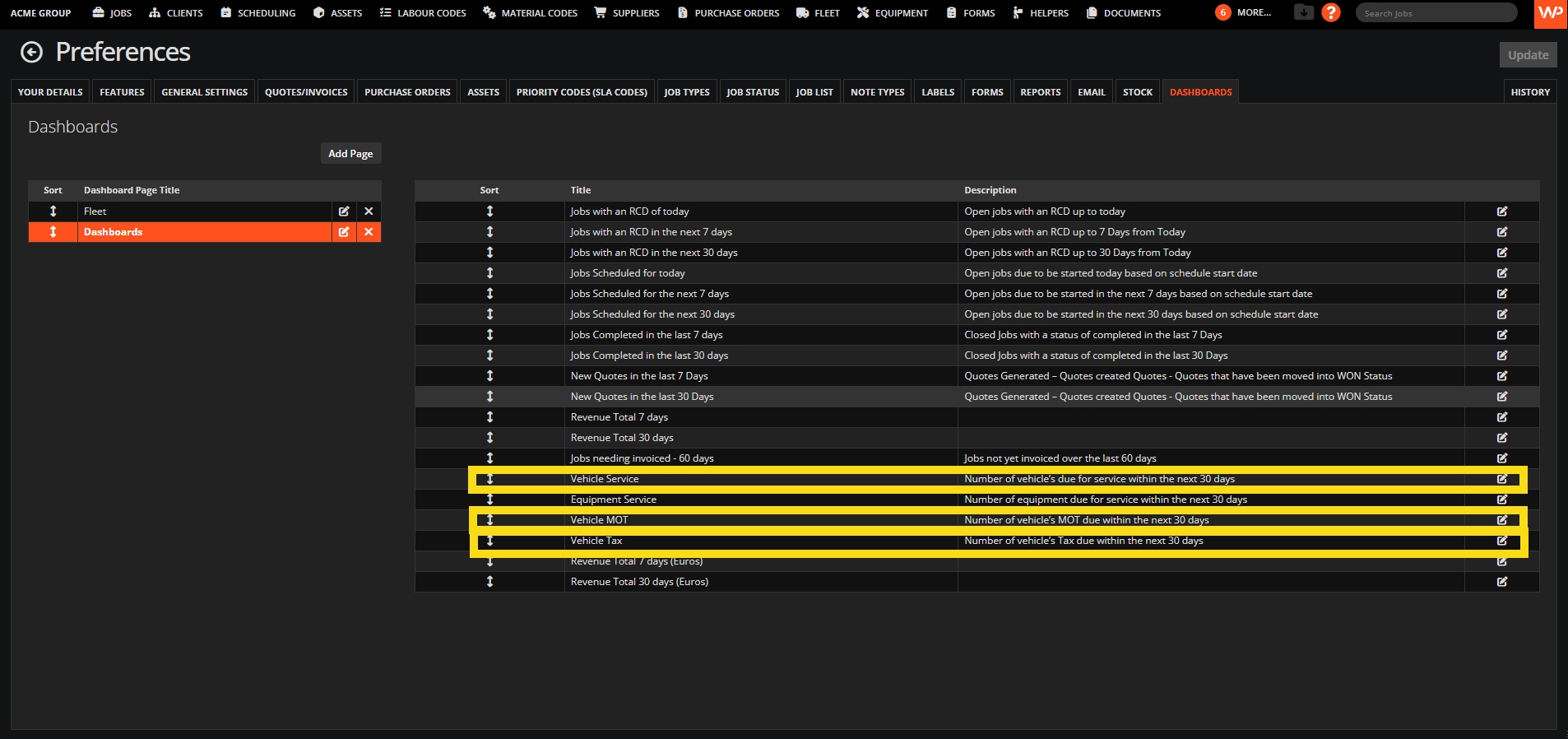
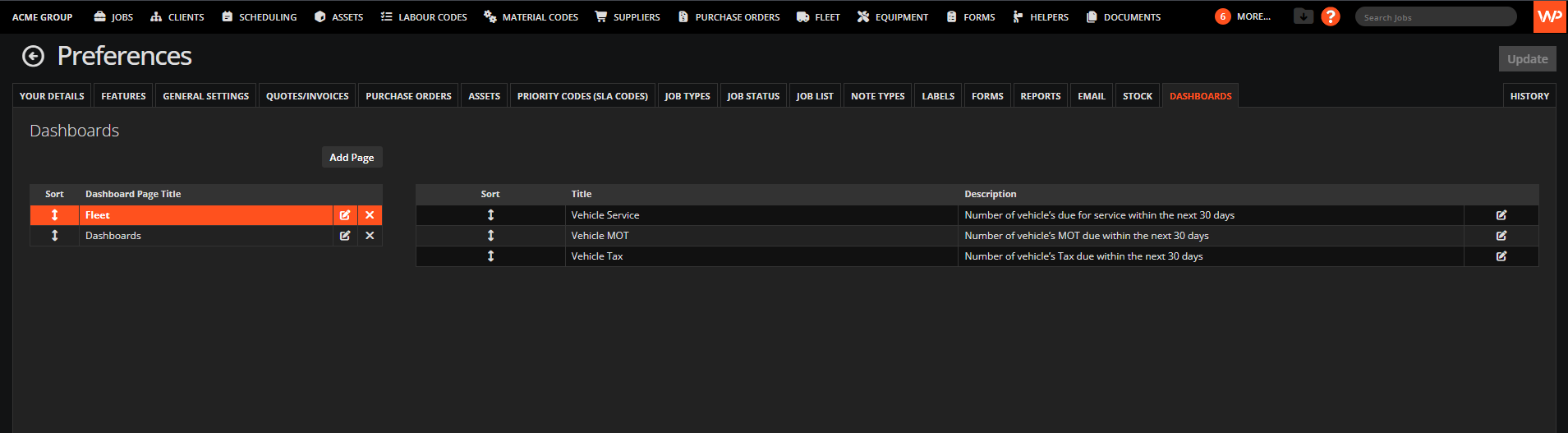
You will now select vehicle or fleet information from details in the page below and click the edit icons to move them to the "fleet" page. The vehicle information shown in this list are;
Vehicle service
Vehicle Tax
Vehicle service
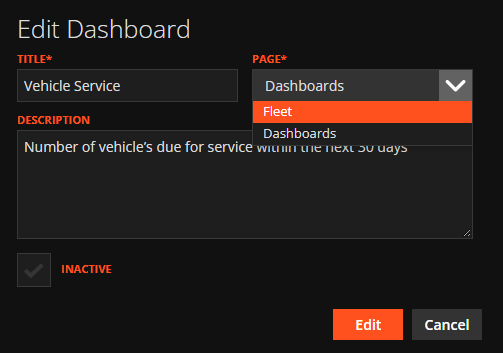
Once you click the edit button on these simply change the "page" to fleet.
Now that you have moved these, it will be displayed in the preferences like the screenshot below.
That's the hard work done! Now you can view your dashboard and swap between the pages by selecting the "fleet" or "dashboards" button. The dashboard below shows me there are 19 vehicles that need MOT'd and Taxed within the next 30 days.
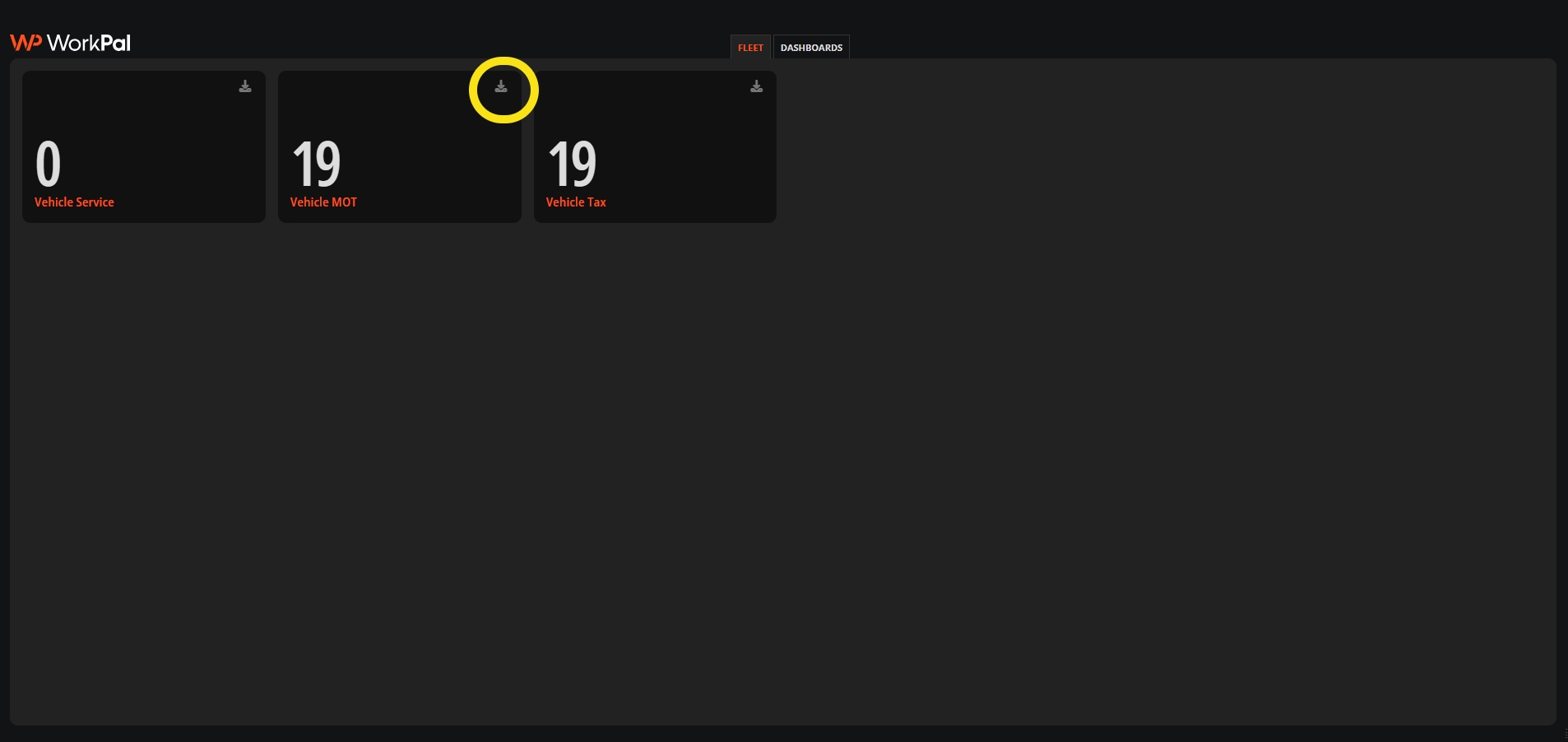
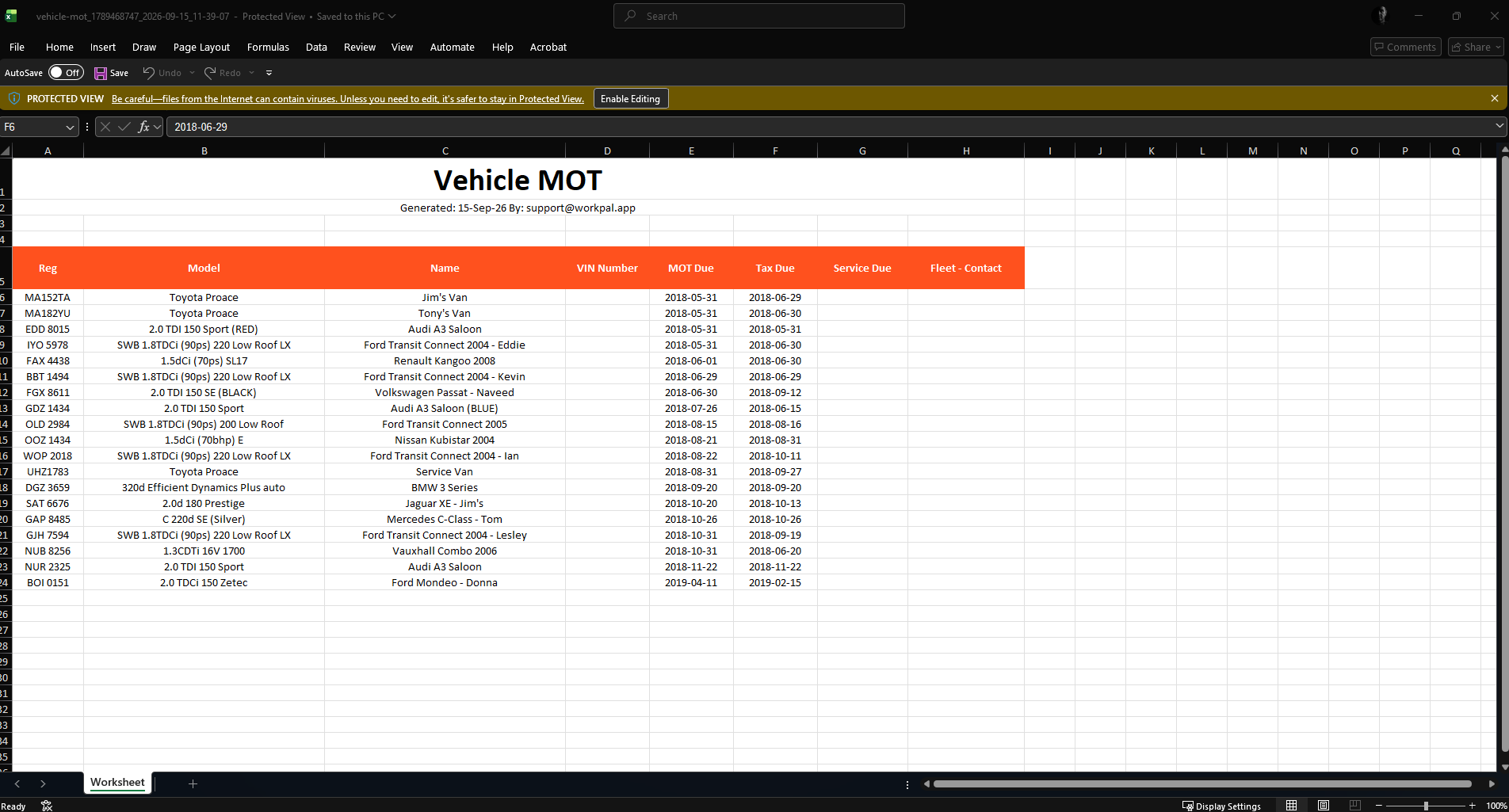
You can also download reports on the items in the dashboards. The tiles are showing what is due within the next 30 days.
Need a Hand?
If you're experiencing any issues viewing or understanding Fleet Details on your WorkPal dashboards, our Support Team is here to help.
📞 028 9344 5660
📧 support@workpal.app
🌐 www.workpal.app