
Logo

What are you looking for?

Please use the search bar below to find an article that can help answer any questions you may have.

WorkPal App 5.1 Update: A cleaner look for your Jobs screen

WorkPal Updates

WorkPal App 5.1 Update: A cleaner look for your Jobs screen

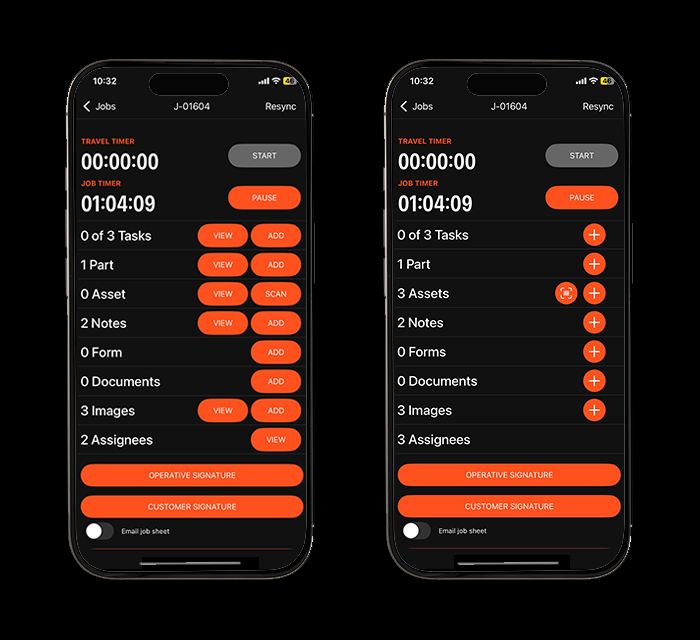
We’ve made a small update to the way items are viewed on a job in WorkPal.

The View button has been removed, but nothing has been taken away.
You can still access photos, notes, and documents exactly as before.

What’s changed?

  • Instead of tapping View, simply tap directly on the item (photo, note, or document) to open it.

  • The 'Add' button has been updated to a '+'

This streamlines the experience and reduces extra clicks for engineers in the field.

If you have any questions, our support team is always happy to help.
App_Update (1).png

Did you find this article helpful?
Previous

An Introduction to the Form Builder with Ian

Next