

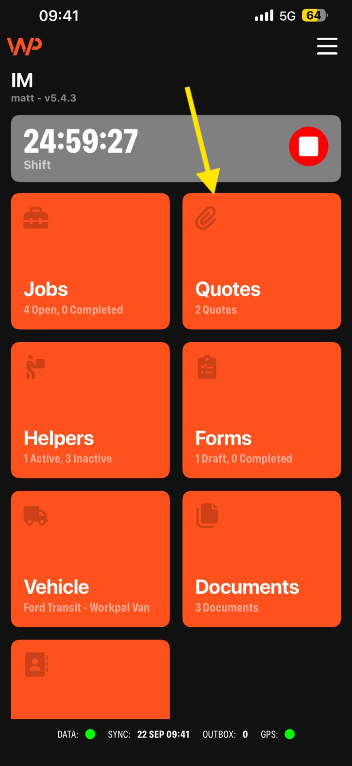
Step 1: Open the Quotes Screen
Navigate to the Quotes screen within the WorkPal mobile app.
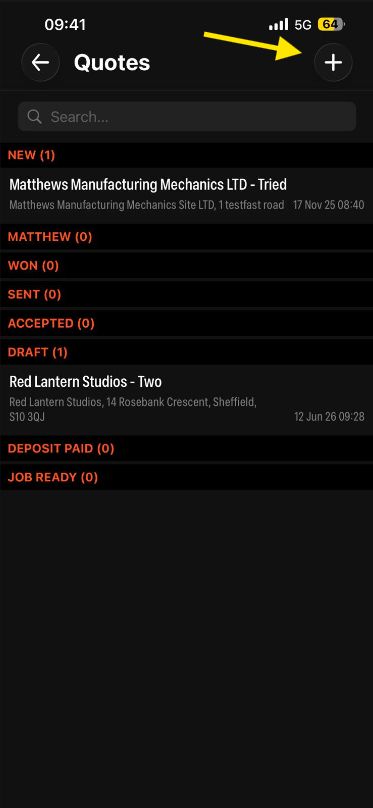
Step 2: Create a New Quote
Tap the + icon to create a new Quote.
Step 3: Select a Group
Select the appropriate Group that you want the new client added to from the dropdown list.
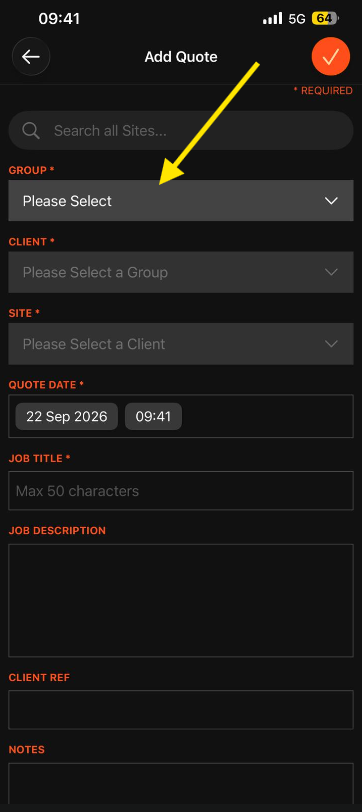
A Group must be selected before you can create a new Client.
Step 4: Open the Client Dropdown
Tap the Client field to open the Client selection list.
You'll see a + icon in the top-right corner of the Client selection screen.
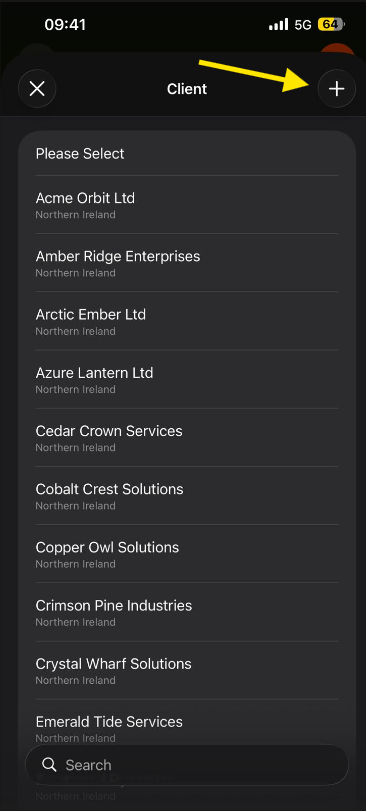
Step 5: Create the Client
Tap the + icon to open the Create Client screen.
Enter the relevant client information, including:
Client Name
Address Details
Contact Information
Any additional fields configured within your WorkPal system
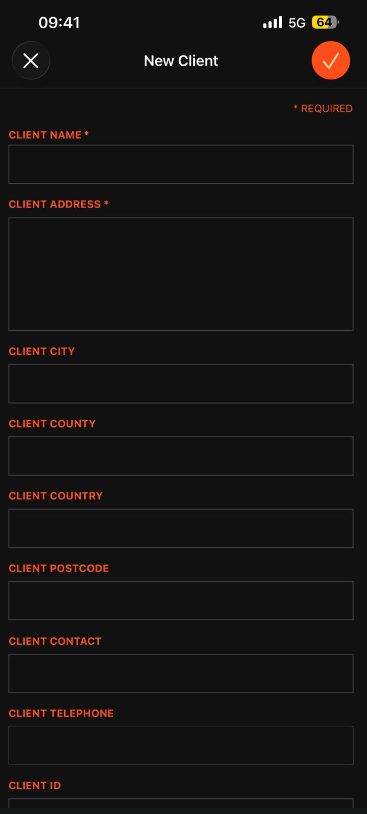
Step 6: Configure Financial Details (Optional)
If required, tick the Financial Details option to configure billing information such as:
Visit Charges
Hourly Rates
Minimum Charges
Discounts
Other financial settings available within your system
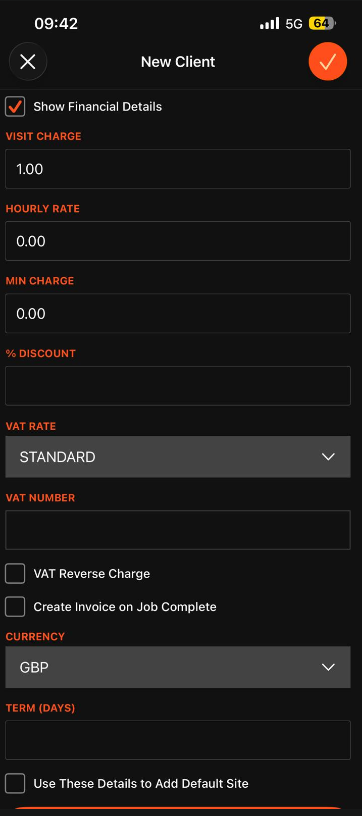
Financial details are optional and should only be completed where required by your organisation.
Step 7: Save the Client
Once all required information has been entered, save the Client details by clicking the orange tick at the top right or the "create client" button at the bottom of the page.
The new Client will immediately become available for selection on the Job.
Creating a New Site
Once you've created or selected a Client, you can also create a new Site directly from the Job creation screen.
Tap the Site field.
Select the + icon in the top-right corner of the Site selection screen.
The Create Site page will open, allowing you to enter the relevant site information, such as the site name, address, contact details, and any other fields configured within your WorkPal system.
Once complete, save the Site record. The new Site will immediately become available for selection on the Job and can be used straight away.
The Site creation process works in the same way as Client creation, allowing you to add new records without leaving the Quote creation workflow.
Need a Hand?
If you're experiencing any issues creating Clients or Sites through the Quotes page in WorkPal, our Support Team is here to help.
📞 028 9344 5660
📧 support@workpal.app
🌐 www.workpal.app